Top 10 Tips to Prevent Losing Your Phone in 2026 – Stay Calm & Protected
Published: January 5, 2026
Breathe – you're not alone. Losing your phone feels like losing a part of yourself, but the good news is that most phone losses are preventable with simple, practical strategies. Whether you've lost a phone before and want to avoid that panic again, or you're proactively protecting yourself, these 2026 tips combine proven habits with modern tech to keep your device safe.
At LostPhones.com, we've helped thousands of people recover their devices, and we've learned what works best for prevention. The strategies below range from simple pocket habits to advanced tracking setups – choose what fits your lifestyle. And remember, if you ever do lose your phone, our free universal checklist walks you through recovery step-by-step.
The Top 10 Tips to Prevent Losing Your Phone
- Master Strategic Carrying Placement
- Always use the same pocket or spot – consistency builds muscle memory. Front pockets are safer than back pockets (less likely to slip out when sitting).
- For women's clothing with shallow pockets, use a small crossbody bag or phone case with a wrist strap.
- Avoid loose, open pockets in athletic wear – use zippered compartments or armbands during workouts.
- When sitting in cars, restaurants, or public transit, place your phone in a specific spot (like the cupholder or table corner) and do a visual check before leaving.
- Attach a Tracking Device (Game-Changer for 2026)
- For iPhone users: Apple AirTag integrates seamlessly with Find My network, showing real-time location even when your phone is offline. Slip one in your case or attach to a keychain – it uses Bluetooth and crowdsourced location data from millions of Apple devices.
- For Android users: Samsung SmartTag 2 or Tile trackers work similarly, connecting to your phone's tracking app.
- Pro tip: Many people don't realize AirTags work even when your phone battery dies – the tracker itself has a replaceable battery that lasts about a year.
- Unknown hack: Enable "Precision Finding" on iPhone 11+ to get exact directions to your phone using AR arrows when you're within Bluetooth range.
- Use Phone Lanyards for High-Risk Situations
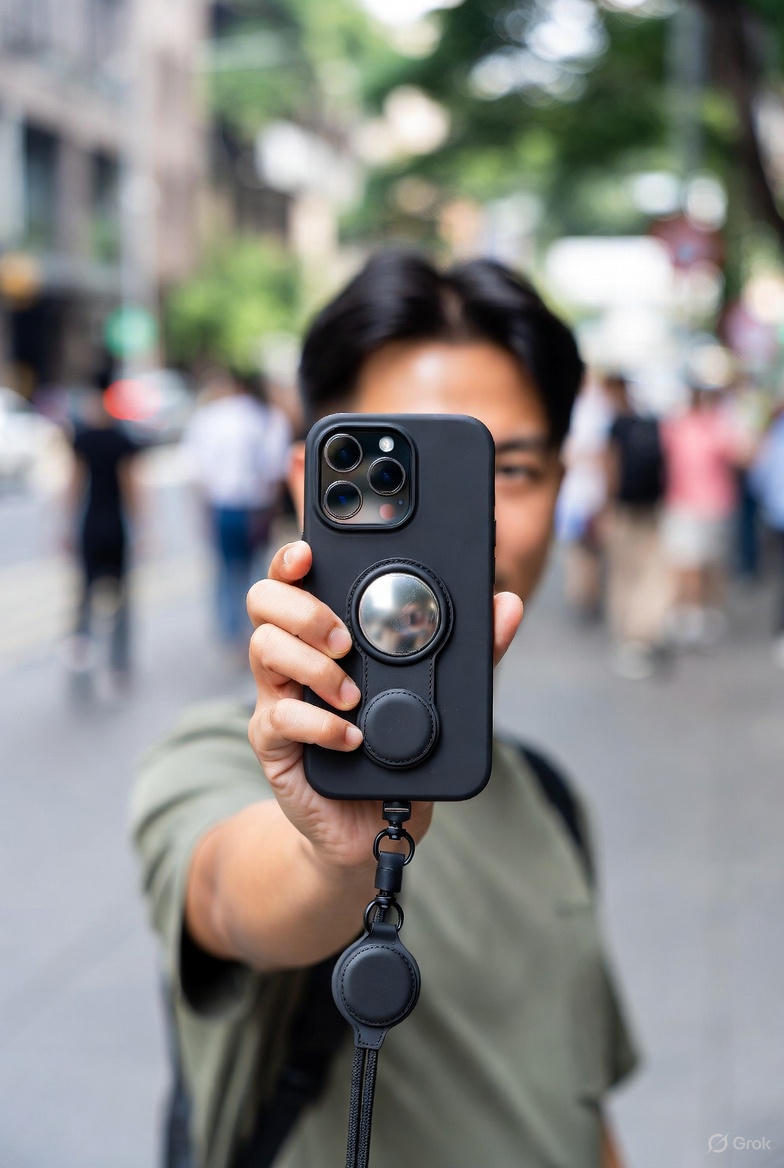
- Adjustable phone lanyards are perfect for concerts, festivals, travel, or any crowded environment where pockets aren't secure.
- Wear around your neck or wrist – hands-free and always visible. Many lanyards are waterproof and come with breakaway clasps for safety.
- Best for: Theme parks, beaches, concerts, airports, and any situation where you're moving around frequently.
- Pro tip: Choose a bright color so you can spot it quickly if it falls off.
- Enable "Notify When Left Behind" Features
- iPhone: Settings → Find My → Notify When Left Behind. Your phone will alert you if you walk away from it (or from a paired AirTag).
- Android: Similar features exist in Google's Find My Device settings – enable location alerts.
- This works even if your phone is on silent – you'll get a notification on your Apple Watch, iPad, or another device.
- Unknown tip: You can set "safe locations" (like home) where it won't alert you, preventing false alarms.
- Create Consistent "Phone Check" Habits
- Before leaving any location, do a quick mental checklist: "Phone, keys, wallet" – make it a ritual.
- Set a phone reminder or use a habit-tracking app to reinforce this behavior for 30 days until it becomes automatic.
- When getting out of cars, always check the seat, cupholder, and floor before closing the door.
- At hotels, do a final sweep: nightstand, bathroom, safe, under the bed, and around charging stations.
- Use Prevention Apps with Separation Alerts
- Apps like "Tile" or "Chipolo" can alert you when your phone disconnects from a paired tracker (or vice versa).
- Some apps use Bluetooth proximity – if your phone moves more than 30 feet away from a paired device, you get an alert.
- Unknown hack: Set up a "virtual leash" by pairing your phone with a smartwatch or fitness tracker – separation alerts work both ways.
- For families: Use family sharing features in Find My (iPhone) or Google Family Link to see each other's devices on a map.
- Customize Your Lock Screen with Contact Info
- Add a custom lock screen message with an alternate phone number or email – if someone finds your phone, they can contact you without unlocking it.
- iPhone: Settings → Face ID & Passcode → Lock Screen Message (or use Medical ID in Health app).
- Android: Settings → Security → Lock Screen → Add owner info.
- Pro tip: Include "Reward if found" to incentivize honest returns – many people return phones when they know there's appreciation.
- Use Zippered or Secure Compartments
- When carrying a bag or backpack, always use zippered compartments instead of open pockets.
- For gym bags, use a dedicated phone pouch with a zipper – prevents it from falling out during transport.
- Travel tip: Use a crossbody bag with a secure closure for airports and crowded spaces – keeps your phone accessible but protected.
- Unknown tip: Some phone cases have built-in card slots and secure closures – these add an extra layer of protection.
- Set Up Find My / Find My Device Before You Need It
- iPhone: Settings → [Your Name] → Find My → Find My iPhone (must be enabled). Also enable "Find My Network" for offline tracking.
- Android: Settings → Security → Find My Device (should be on by default, but verify).
- Test it monthly: Use another device to locate your phone and ensure everything works – you don't want to discover it's disabled when you need it most.
- Unknown hack: Enable "Send Last Location" on iPhone – if your battery dies, it automatically sends the last known location to iCloud before shutting down.
- Create a "Final Sweep" Checklist for High-Risk Locations
- Hotels: Nightstand, bathroom counter, safe, under bed, around charging stations, drawers.
- Cars: Driver's seat, passenger seat, cupholders, floor (both sides), center console, trunk if recently used.
- Restaurants: Table, booth seat, floor under table, restroom counter.
- Public transit: Seat, floor, overhead storage, seat pocket.
- Write this checklist in your notes app and review it before leaving these locations – it takes 10 seconds and prevents 90% of losses.
Prevention Gear That Actually Works
While habits are the foundation, the right gear can be a game-changer. Here are the products that have proven most effective for preventing phone loss in 2026:
The Apple AirTag is the gold standard for iPhone users. It uses Apple's Find My network, which means even if your phone is offline or the battery dies, the AirTag can still be located through nearby Apple devices. It's small, affordable, and works seamlessly with your existing iPhone setup. Many users attach it to their phone case or slip it into a wallet – it's become essential for peace of mind.
For situations where you need hands-free security, a phone lanyard is invaluable. Whether you're at a concert, traveling through airports, or just want extra security during daily activities, a good lanyard keeps your phone visible and attached to you. Look for adjustable lengths, breakaway clasps for safety, and waterproof materials if you're active outdoors.
These simple additions have prevented countless phone losses – they're small investments that pay off the moment you need them.
Want the Complete Prevention & Recovery Guide?
Our free site covers the essentials, but if you want the full picture – printable checklists, advanced prevention strategies, recovery message templates, and critical steps not shown on the free site – our Premium Lost Phone Recovery Kit PDF is available for just $4.95. It's an instant download, so you have everything you need for total peace of mind.
Get the Complete Recovery Kit PDF – $4.95
30-Day Money-Back Guarantee
You're Not Alone – More Resources
If you're reading this proactively, you're already ahead of the game. But if you ever do lose your phone, remember:
- Our free universal checklist covers every scenario step-by-step.
- The home page guide has immediate recovery steps for both iPhone and Android.
- Check out our blog for scenario-specific guides (lost at concerts, hotels, airports, and more).
At LostPhones.com, we're here to help you stay calm and protected. Bookmark this page, share it with friends, and breathe easy knowing you're prepared. Prevention is the best recovery – and with these tips, you're well-equipped for 2026 and beyond.
Top-Rated Coverage for Ultimate Peace of Mind
Even with the best prevention habits and gear, accidents happen. For full protection if your phone is lost or stolen, AKKO is the top-rated cell phone coverage option—covering theft, loss, damage, and more for just a few dollars a month (starting at $5-15 depending on plan).
Plans include cracked screens, liquid damage, parts failure, and unlimited claims—highly praised for fast service and comprehensive theft/loss inclusion.
Get AKKO Theft & Loss Coverage
We partnered with AKKO to provide you with top-tier phone coverage should your phone be lost or stolen. While we may earn a commission, your price for this plan is not affected. This allows us to provide more free guides to all in need.